

The Invisible Interface - UX Case Study
Role:
UX Researcher, UX Designer
Tools:
FigJam, Figma, Adobe Firefly
Methods:
1-on-1 User Interviews, Affinity Mapping, Primary/Secondary Research, Journey Mapping, Ideation, Storyboarding
Timeline:
5 Weeks
March 2026
Course:
UX Capstone
Overview and Context
Every day, millions of drivers relying on Apple CarPlay encounter problems: Bluetooth drops, Siri misinterprets commands, Apple Maps reroutes unexpectedly, or wireless CarPlay won’t connect at all. This case study sought to identify why infotainment systems fail and, through user feedback, to inform the subsequent design work. Because most participants used Apple CarPlay, I focused on creating a solution that minimizes driver distraction and reduces frustration, the invisible interface.
Click here to view the entire design process on FigJam and created deliverables
Problem
Distracted driving is one of the leading causes of traffic accident fatalities, but the conversation has shifted in this technologically driven age. The problem is no longer just about phones in hands. It’s the interface built into dashboards.
3,275 deaths were caused by distracted driving in 2023, according to the National Highway Traffic Safety Administration (NHTSA). In a 2018 study by Lingyu Zhao and Yuankai He, 90% of distraction crashes involved in-vehicle UI. A PwC 2018 study found that smartphone voice assistants have a low satisfaction rate, with only 38% of people reporting “very satisfied.”
Current UI implementations prioritize feature richness and brand differentiation over the cognitive reality of someone traveling at 65mph. The result is a driving experience that is more stressful, more dangerous, and less human than it should be.
Primary Research (click here to view FigJam file)
Primary Research Goals:
What automotive UI features support drivers best, and which ones get in the way? Are there any features that they aren’t aware of or that they would change?
What interaction patterns in automotive UIs increase driver distraction or time spent off the road?
How and when do users interact with automotive UI most while driving (navigation, music, messaging, calls)?
What types of mistakes do drivers most often make when using automotive UIs while driving?
Primary Research Methodology:
10 one-on-one user interviews with notes taken in FigJam
Convenience sampling, 9 out of 10 users used Apple CarPlay daily, and the other 1 used Android Auto daily.
Affinity mapping in FigJam

Primary Research Affinity Mapping Overview
Key insights were derived from notes taken during the 10 one-on-one interviews and organized into 10 separate themed clusters:
Connection and Technical Issues
Users expected an instant Apple CarPlay connection and experienced Bluetooth failures and dropped connections.
Voice Assistant/Siri Frustrations
Voice commands were misheard several times by Siri and failed frequently for navigation, music, contacts, etc.
Layout and UI Design Issues
Sidebar and split-screen layouts in Apple CarPlay were occasionally frustrating to users when using navigation and digital media.
Navigation Limitations
Navigation routes were often incorrect using Apple Maps, and would often times have trouble connecting to their device.
Media Control Challenges
Users spent too much time flipping back and forth between applications and were unclear about how to navigate certain UI buttons.
Safety and Distraction Concerns
Overcorrection with texting, media controls, or navigation in Apple CarPlay almost caused several users to rear-end other drivers or have other related accidents.
Positive Feedback
When Apple CarPlay worked, users loved it, but when issues happened, frustration increased.
User Habits/Behavior
Daily driving habits of users, such as using their phone to navigate Spotify, connecting their device, etc.
Messaging and Communication Pain Points
Users thought the text app on Apple CarPlay was ineffective due to having to use Siri as the main driver to text and hear text messages, which they were already having trouble with.
Desired Features and Improvements
Users preferred that the connection be seamless between their device and Apple CarPlay, and wanted other minor personalization features.
Secondary Research (click here to view)
Secondary research covered 21 published sources across distracted driving statistics, CarPlay vs. Android Auto, NHTSA guidelines, human-centered design principles, existing solutions, and more. Findings were affinitized into 6 different affinitization clusters with key insights. The ones listed are a few of many.
Secondary Research Affinity Mapping Overview
Distracted Driving
3,275 people died in distracted driving crashes in 2023
Over 90% of distraction crashes involve in-vehicle UI, not cellphones
Voice Assistant Issues
Voice systems only respond correctly 60–70% of the time
Background noise, unique names, and mispronunciations cause frequent failures
Apple CarPlay vs Android Auto
32% of EV buyers and 30% of global ICE buyers insist on CarPlay or Android Auto
Android Auto lost 2% market share YoY; navigation and commands break for no reason
Regulations and Guidelines
NHTSA recommends single glances ≤2 sec; total glance time ≤12 sec per task
26,000 crashes (35% of distraction-related) involved a driver adjusting a device
Best Human-Centered Design Practices
Individual glances at displays should not exceed 2 seconds
Show only what matters, when it matters, minimize cognitive overload
Potential Solutions
AI voice training with profiles could be possible, based on Apple’s Face ID technology
Precise location toggle makes Apple Maps more precise and accurate to your location
Needs and How-Might-We Questions(click here to view)
Need Statements were written, organized, and prioritized into four tiers based on findings from primary and secondary research in FigJam. These are a few of many.
Tier 1
Users need to interact with in-car systems without taking their eyes off the road
Users need voice commands that work reliably on the first attempt
Users need CarPlay to connect instantly and consistently
Users need Bluetooth and app handoffs to work without restarting or replugging
Tier 2
Users need to send and receive messages without reading or typing while driving
Users need the system to reconnect automatically without manual intervention
Tier 3
Users need feedback when a voice command fails, and a fast recovery path
Users need fewer connection steps between getting in the car and being ready to go
Tier 4
Users need to personalize their home screen layout to match how they actually drive
Users need better ways to recognize split-screen features
How-Might-We (HMW) questions were written, organized, and prioritized in four tiers in FigJam.
Tier 1
HMW reduce the number of decisions a driver has to make while the car is moving?
HMW make Siri reliable enough that drivers actually trust it over touching the screen?
Tier 2
HMW keep navigation useful without requiring the driver to interact with it?
HMW let users communicate safely without any visual attention required?
Tier 3
HMW make voice feel like talking to someone who actually understands you?
HMW make a seamless experience for users interacting with Apple CarPlay?
Tier 4
HMW let users personalize their UI, which shapes their driving routine?
HMW design a message system that delivers urgency without the full message?
Ideation (click here to view)
Ideation began by looking at some already existing solutions through thoughts and online troubleshooting.
Methods:
Identifying Existing Solutions
Sketching and Crazy 8’s Method
Impact/Feasibility Mapping
Final Solution:
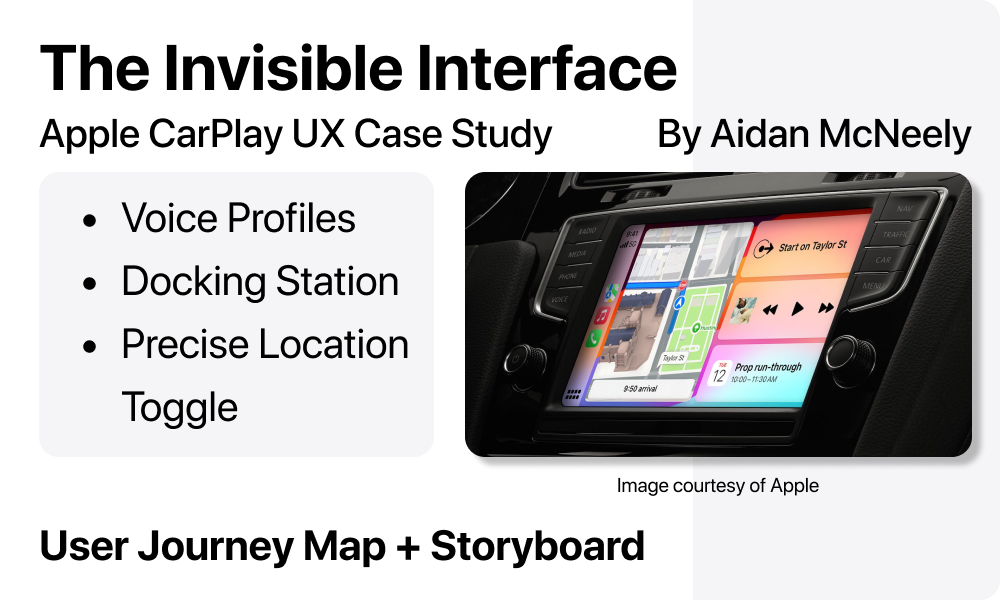
AI voice training profiles, an integrated phone docking station, and a precise location toggle.
Solution Statements/Explanation:
Similar to Face ID, users can train Siri to recognize the unique phonetics of their voice. This allows for more accurate voice commands while driving, even in noisy environments, by filtering out background interference and adapting to individual speech patterns.
To improve reliability and ease of use, the system also includes a built-in docking station with a retractable Lightning/USB-C connector. This ensures the phone is always positioned optimally for visibility, charging, and consistent connectivity without added friction.
Finally, if precise location services are turned off, the system will prompt the user to enable them once the phone is docked. This helps prevent navigation errors, unnecessary rerouting, and overall reduces friction during time-sensitive driving situations.